

5 Ways to Set Up Dual Monitors on an L Shaped Standing Desk
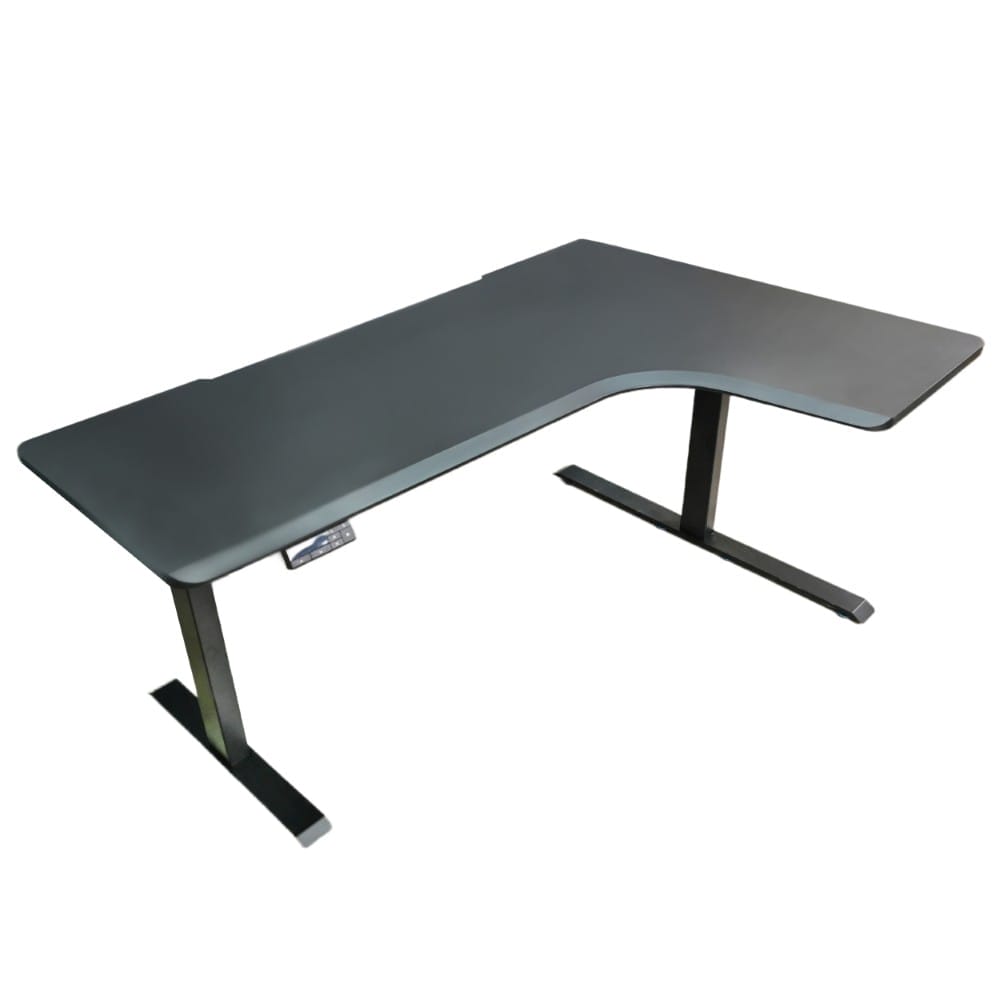
Installing two screens can change the way you work. Investing in an L shaped table gives you more space. However, placing your equipment in the wrong position can cause neck pain. As such, you need a style that is natural and keeps your office clean. This type of desk offers the perfect layout for a modern workspace.
This guide presents five methods of organising your monitors. Here are some suggestions to help you utilise your corner desk and stay comfortable throughout the day.
1. Place the Main Screen in the Corner
One of the best ways to use this type of surface is to sit right in the curve. This should be done by facing your main monitor straight in front of you. Then, bend the second monitor a little toward you on one side, either the right or the left. This layout creates a wide view that wraps around your seat.
This setup is great because it gives your arms plenty of room to rest on the furniture. It also helps you stay focused on your main task without having to turn your head too much. Our team at Tableholic builds L-shape desks with deep curves and a sturdy 3-column frame that supports up to 120kg. These designs provide a solid foundation setup that supports your natural reach.
2. Align Screens Side by Side on the Long Edge
If you prefer a wide workspace, try placing both monitors along the longest side of the frame. You can set them up so they meet right in the middle of your view. This is a top choice for people who need to view two large documents simultaneously.
Make sure the top edges of both screens are at the same height. This stops your eyes from jumping up and down as you move between windows. Tableholic offers a high-quality standing desk with dual motor Gen 3 technology. We offer the perfect size and length for even the largest screen pairs without feeling crowded or cluttered.
3. Use a Vertical Stack to Save Surface Space
You may wish that you had a clean writing or drawing surface. Then, in that instance, pile one monitor on top of the other. You will need a tall monitor arm for this, but it works very well for a study area. It keeps your horizontal space open for your keyboard and mouse.
This setup is very helpful for streamers or coders. Put your main working screen on the bottom screen and your chat or notes on the top. Among our solutions are mounts and powder-coated MDF tops that look like solid wood but are scratch-resistant. This finish keeps your area safe as you free up space for more creativity.
4. Set One Screen in Portrait Mode
Not every screen needs to be wide. You can turn your second monitor 90 degrees so it stands tall in portrait mode. This is a smart move since it can be placed in the side area. A vertical screen is best suited for reading a long email or flipping through a social media feed.
This layout uses less horizontal space, leaving more room for your speakers or extra storage. It also helps you see more information at once without scrolling. Tableholic offers an adjustable electric desk featuring LED controllers with 3 memory presets. This makes it easy to find your ideal height in any home environment.
5. Use the Corner for a Split-Task Layout
You can also use this type of table to separate your work. Place your main monitor on one side for your heavy tasks. Put the second screen on the other side of the curve for things like music or email. This creates two distinct zones on a single piece of equipment.
This method helps you stay organised by keeping distractions away from your main view. When you need to check a message, you simply turn your chair slightly. Tableholic creates ergonomic L-shaped desks with smooth height adjustment and a 60 mm/s lift speed. Our products are crafted to foster well-being while you manage multiple tasks.
Final Thoughts
Setting up dual monitors on an L-shaped table is all about balance. Whether you sit in the corner or use the long edge, the goal is to stay comfortable. Always think about your neck and eyes when you move your screens. A good setup makes work feel easier and keeps your workspace looking sharp.
Do you want to upgrade your home office in Singapore? Visit Tableholic to see our latest motorised electric standing desk options. Our L-shaped tables feature a triple-motor system that moves at a fast 60 mm/s. Call us to book a showroom visit in Singapore. We can also assist you in selecting the most appropriate ergonomic office chair and desk to enhance your productivity and posture.