

5 Ergonomic Tips for Positioning Your Screens on a Double Monitor Arm
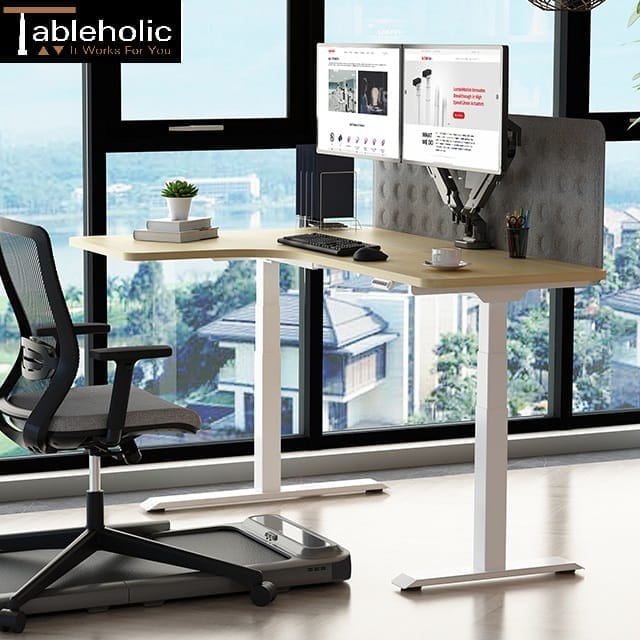
Installing two screens will let you get more done in a day. When the monitors are not correctly placed, you may strain your eyes and neck. A double-monitor arm keeps the desk clean and supports better posture. It allows you to adjust each screen to your ideal height and viewing angle.
This guide provides five easy tips for a proper setup. Use them to prevent the mistakes that lead to fatigue. A properly organised workspace is much more comfortable and pleasant.
1. Set the Height to Eye Level
The top of each monitor should be at or just below your eye level. If the screens are too low, you will naturally bend your neck down to see. Doing this for many hours can cause a lot of strain on your upper back. A strong mount makes it easy to lift both screens so you can look straight ahead.
When your eyes are level with the top of the screen, your neck stays in a neutral position. This simple change helps you sit up straighter without even thinking about it. Our Dual Monitor Arm at Tableholic offers support screens from 13 to 30 inches to help you find the best height for your desk.
2. Find the Right Viewing Distance
You should be able to see all the text on your screens without leaning forward. It’s a rule of thumb to at least sit approximately one arm’s length away from the screens. When they’re too close, the brightness can strain your eyes. When they’re too far away, you may lean forward to read small text, which strains your back.
Using an adjustable arm lets you slide the screens forward or backward until they feel right. This flexibility is very important because everyone has different eyesight. Our services include providing dual arms that hold up to 9kg per screen, so you can work without any extra strain.
3. Angle the Screens to Reduce Glare
Lighting in Singapore offices can sometimes cause bright reflections on your glass screens. This glare makes it hard to see and can lead to headaches over time. You should tilt your display slightly downward or away from bright overhead lights. A quality arm allows you to tilt each screen one by one to find the best angle.
By removing these reflections, you can focus better on your tasks. You will also find that you do not need to squint as much throughout the day. At Tableholic, we provide gear with a 45-degree tilt and 360-degree rotation to let you control your environment for a better work experience.
4. Choose Your Main Monitor Layout
Position the primary screen directly in front of you, and position the secondary screen on the side at a slight angle. This arrangement prevents you from constantly turning your neck to one side. If you use both screens equally, you should have them positioned so they meet in the centre of your field of vision.
A double arm is perfect for this because it provides steady support in any layout. You can switch between these setups whenever your work tasks change. Our goal is to offer mounts that clip onto desks up to 6cm thick to fit the way you naturally move and work.
5. Keep Your Shoulders Relaxed
With your screens positioned correctly, your shoulders should remain loose and without tension. You should not have to shrug or raise your arms in order to see your work. Maintain the neatness of your desk by bending all the cables under the monitor arm. When your shoulders are lifted towards your ears, then most likely the monitors are too high.
The process of making adjustments to your monitor arm only requires a matter of seconds, but it can save a lot of pain. It allows your body to remain in a natural position as you go about doing your daily tasks. We have straightforward clips that ensure cables are tidy, and these clips help keep your workspace organised and comfortable, enabling you to be happy in your workstation.
Final Thoughts
A dual monitor stand is a worthwhile upgrade for any workspace. It makes sure your screens are at the appropriate level, distance, and angle from your body. These five tips would help you to avoid injuries that affect your neck, eyes, and back in the office.
At Tableholic, you can find simple mounts that would have everything you need to make your desk a space of focus and good health. Contact us today to learn more about our monitor arm Singapore options including dual monitor arm products.